Cut my app anxiety from constant to zero: The permission habit that freed my digital life
You know that nagging feeling—opening an app and suddenly wondering, Wait, why does this need my location? My contacts? My camera? I felt it too, every single day. It wasn’t just annoyance; it was a quiet loss of control. But everything changed when I started treating app permissions like a hobby, not a chore. What if I told you that just 10 minutes a week could make your phone feel safer, smoother, and truly yours? That’s exactly what happened when I stopped ignoring those tiny pop-ups and started paying attention. And the best part? It didn’t require any tech degree, just a little curiosity and the willingness to say “no” sometimes.
The Moment I Realized My Phone Wasn’t Really Mine
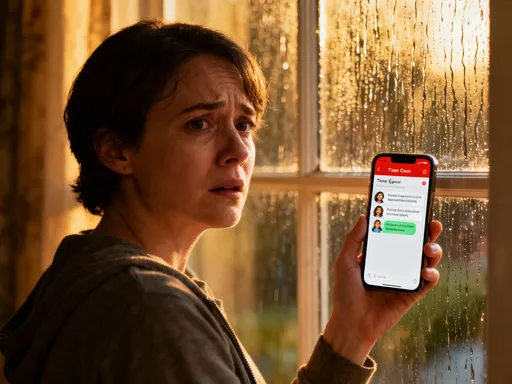
It was a Tuesday morning, and I was checking the weather before heading out. The app loaded quickly, showed me the forecast, and then—out of nowhere—it asked for access to my microphone. My first thought was a laugh. Why on earth would a weather app need to listen to me? But the more I thought about it, the less funny it became. That little request felt like a hand reaching into my pocket without asking. I didn’t grant it, of course, but that moment stuck with me. It was the first time I truly questioned whether I was the one in charge of my own device.
After that, I started noticing patterns. A flashlight app wanted my photos. A recipe app asked for my location. A simple game wanted access to my contacts. Each request seemed small on its own, but together, they painted a picture of a phone that was no longer just mine. It was being shared—without my full understanding—with dozens of companies, developers, and invisible algorithms. I realized I had been clicking “Allow” out of habit, convenience, or confusion, not because I wanted to. And in those quick taps, I had given away more than data—I had given away peace of mind.
That shift in awareness changed everything. I began to see app permissions not as technical jargon, but as personal boundaries. Just like I wouldn’t hand a stranger a key to my house, why would I hand over access to my camera, microphone, or photo library without thinking? This wasn’t about paranoia. It was about respect—for myself, my time, and my digital space. And once I reframed permission management as an act of self-care, it didn’t feel like a chore anymore. It felt like taking back control.
Why App Permissions Feel Overwhelming (And Why They Don’t Have To)
Let’s be honest—when most of us hear “app permissions,” our eyes glaze over. It sounds like something IT departments deal with, not something a busy mom or someone juggling work, family, and personal time should have to think about. But here’s the truth: app permissions aren’t about code or tech specs. They’re about choices. They’re about who gets to see what, when, and why. And once you understand what they actually mean, it becomes a lot less scary.
Think of your phone like your home. Each app is like a guest. And each permission is like a key to a different room. Location access? That’s like giving someone a key to your front door—they’ll know when you come and go, and where you’ve been. Photo access? That’s handing over the key to your private album drawer. Microphone access? That’s like letting someone install a listening device in your living room. None of these are inherently bad—sometimes you *do* want a guest in a certain room. But you wouldn’t give every visitor a master key to the whole house, right?
That’s exactly how I started looking at permissions. Not as abstract settings, but as real decisions about access. And the more I paid attention, the more I realized how often apps ask for more than they need. A meditation app doesn’t need your contacts. A notes app doesn’t need your location. A calculator certainly doesn’t need your camera. When you start seeing these requests through the lens of boundaries, it becomes easier to say “no” without guilt. You’re not being difficult—you’re being thoughtful.
The good news is, you don’t need to become a tech expert to manage this. You just need to get curious. Ask yourself: Does this app really need this permission to do its job? If the answer is no, you can safely deny it. And if you’re not sure, you can always change your mind later. The settings are always there. This isn’t about being perfect. It’s about being present. And once you start treating permissions as part of your digital self-care routine, the overwhelm fades. It becomes less about fear and more about freedom.
Turning a Chore Into a Ritual: My Weekly Permission Check-In
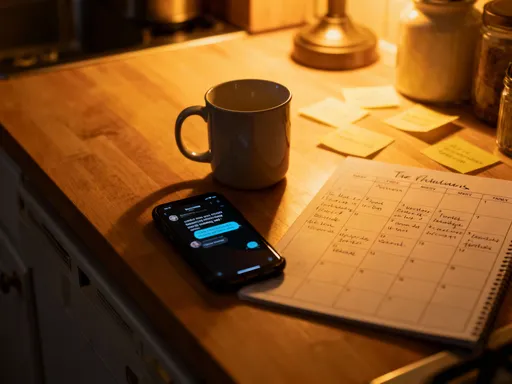
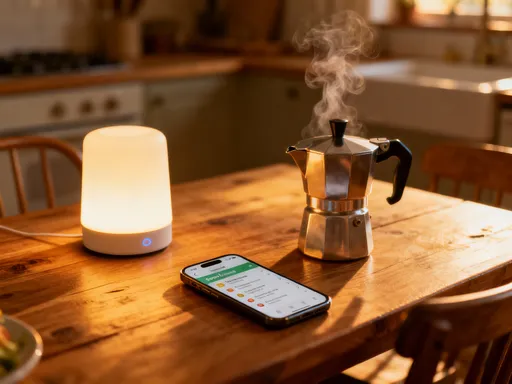
I’ll admit it—I didn’t jump into this with discipline. At first, I’d check my settings once every few months, usually after reading a scary headline. But that wasn’t enough. The real change came when I turned it into a ritual. Every Sunday morning, after I’ve poured my coffee and before I check my email, I spend 10 minutes doing what I now call my “digital reset.” It’s not long. It’s not stressful. And it’s become something I actually look forward to.
Here’s exactly how I do it. On my iPhone, I go to Settings, then Privacy & Security. From there, I scroll through each category—Location Services, Photos, Microphone, Contacts, Camera, and so on. I look for any apps that have access that surprise me. On Android, it’s a similar path: Settings, then Apps, then Permissions. The layout might look a little different, but the idea is the same. I’m not trying to audit every single app. I’m just scanning for anything that feels off.
For example, last week I noticed a shopping app had access to my microphone. That made no sense. I didn’t need it listening to me while I browsed for kitchen towels. So I turned it off. Another time, I found a travel app still tracking my location in the background, even when I wasn’t using it. I switched that to “While Using the App” instead. These small changes didn’t take more than a few seconds, but they added up. I felt lighter, like I’d cleared out a digital clutter drawer.
The key for me was making it consistent and low-pressure. I don’t do it all at once. I don’t aim for perfection. If I only review three categories one week, that’s fine. The point isn’t to fix everything in one go. It’s to stay connected to my device—to remember that I’m the one in charge. And over time, this tiny habit has made a big difference. My phone feels more like an extension of me, not a mystery box I’m afraid to open.
How This Tiny Habit Improved More Than Just My Privacy
I’ll be honest—I started this journey for privacy. I wanted to feel safer. But what surprised me was how many other benefits came along for the ride. Within a few weeks, I noticed my phone was running faster. My battery lasted longer. And I felt calmer when I used it. Turns out, cleaning up permissions didn’t just protect my data—it improved my entire digital experience.
Here’s how: every app running in the background, tracking my location or scanning my photos, uses energy. It’s like leaving ten browser tabs open all the time. When I started revoking unnecessary access, I was essentially closing those tabs. My phone didn’t have to work as hard. And that meant less heat, better performance, and fewer “low battery” warnings by midday.
But the emotional shift was even bigger. I used to feel a low-level anxiety every time I opened certain apps—like I was being watched or judged. Now, that’s gone. Because I’ve taken the time to set boundaries, I use my phone more intentionally. I open apps because I want to, not because I’m pulled in by notifications or habits. I’ve even deleted a few apps that kept asking for too much. In their place, I’ve made room for ones that truly serve me—like a simple journaling app, a family photo organizer, and a meditation tool that respects my privacy.
This habit also helped me notice how much I was using my phone out of habit, not purpose. When I removed the apps that felt invasive, I created space—both on my screen and in my mind. I started reading more, calling my sister more, even cooking without scrolling. It wasn’t a digital detox. It was a digital realignment. And the best part? I didn’t have to give up my phone to feel better. I just had to make it work for me, not the other way around.
Sharing the Habit With My Family: A New Kind of Digital Care
One of the most unexpected joys of this journey was sharing it with my family. It started with my mom. She called me one day, worried about a pop-up on her phone that asked for access to her messages. I went over to help, and instead of just fixing it for her, I showed her how to check her own settings. We sat at her kitchen table, her phone in hand, and I walked her through the same steps I use. She loved it. “I feel like I’m finally in charge,” she said. That moment meant more to me than I can explain.
Since then, I’ve helped my dad review his apps, my sister set boundaries for her kids’ tablets, and even my teenage nephew think twice before downloading a new game. These conversations aren’t about fear or scolding. They’re about care. I don’t say, “You’re doing it wrong.” I say, “Want to see a trick that makes your phone feel smoother?” And when I show them how to say “no” to a suspicious request, it feels like passing on a small superpower.
With my nephew, we turned it into a game. We call it “App Detective.” We look at each new app and ask: What does this one do? Does it really need your camera? What if it asked for your contacts—would that make sense? He loves spotting the red flags. And now, he teaches his friends. That’s how change spreads—not through fear, but through connection.
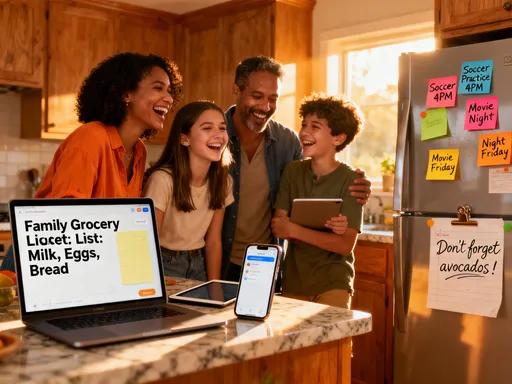
What I’ve learned is that digital care can be a form of love. When I help my parents protect their data, I’m not just teaching them tech. I’m showing them they matter. I’m saying, “Your privacy is worth protecting.” And when I guide my sister in setting up her kids’ devices, I’m helping her create a safer digital home. These moments have brought us closer. We talk more. We laugh more. And we feel more in control—together.
What I’ve Learned About Trust, One App at a Time
This habit has taught me more about trust than I ever expected. I used to think all apps were either good or bad. But the truth is more nuanced. Most developers aren’t trying to harm us. But that doesn’t mean we should hand over access without thinking. Trust isn’t blind. It’s earned. And now, before I download any new app, I ask myself a few simple questions.
First: Do I really need this? If it’s a one-time tool, maybe I can use a website instead. Second: What permissions does it ask for? If a simple note-taking app wants my location and contacts, that’s a red flag. Third: Who made this? A well-known company with a privacy policy I can read? Or an unknown developer with no reviews? These questions take less than a minute, but they’ve saved me from dozens of sketchy downloads.
I’ve also learned to trust myself more. I used to assume that if an app asked for something, it must need it. Now I know that’s not true. I’ve become more confident in my choices. I don’t feel pressured to click “Allow.” I know I can always change my mind later. And if an app stops working because I denied a permission? That tells me something important—that it was relying on access it didn’t truly need.
This mindset shift has made me a smarter, calmer user. I’m not afraid of technology. I’m just more aware. And that awareness has given me a sense of power I didn’t know I was missing. I’m not fighting against my phone. I’m partnering with it. And that makes all the difference.
Your Phone, Your Rules: Reclaiming Digital Peace
At the end of the day, this isn’t about fear. It’s about freedom. It’s about looking at your phone and feeling like it’s truly yours—no strings attached, no hidden watchers, no silent data leaks. When I started managing my app permissions, I thought I was just protecting my privacy. But I got so much more. I got clarity. I got calm. I got back a sense of ownership that I didn’t even realize I’d lost.
You don’t need to spend hours tweaking settings or become a digital security expert. You just need to start. Try one 10-minute check-in. Sit with your coffee, go to your settings, and take a look. Notice what’s there. Say “no” to one thing that doesn’t feel right. That small act is more powerful than you think. It’s a declaration: This is my device. My life. My rules.
And when you do, you might notice something shift. Maybe your phone feels lighter. Maybe you feel more in control. Maybe you realize that taking care of your digital life is just another way of taking care of yourself. Because you are worth protecting. Your time, your attention, your peace—they all matter. And the beautiful thing is, you don’t have to wait for anyone to give you that power. It’s already in your hands. All you have to do is tap the settings, take a breath, and begin.