It’s Not Just About Messaging: How Team Tools Keep My Family Safer Every Day
Have you ever missed a call from home and felt your heart skip? I have. In our busy lives, staying truly connected often feels out of reach. But what if the same apps we use for work could also protect the people we love? I discovered that team communication tools—like the ones we use for meetings and check-ins—can quietly transform how we care for our families. It’s not magic, just smart, everyday tech used in ways we never expected. These tools weren’t built for parenting or caregiving, but when we adapt them with intention, they become something more: a gentle safety net woven into the rhythm of daily life.
The Moment I Realized Work Tech Could Protect My Family
It was a gray Tuesday afternoon, the kind where rain taps steadily against the window and the house feels quieter than usual. I was in the middle of a video call with my team, camera on, trying to focus on quarterly goals when a message popped up—just a simple notification from our family group in Microsoft Teams. My daughter had fallen during recess. The school nurse had already seen her, but the teacher sent a quick update: “Minor scrape on knee, she’s okay. Sent photo.”
I didn’t get a phone call. No frantic voicemail. No red-faced panic. Just that message—calm, clear, with a timestamp and a photo of my daughter giving a thumbs-up from the nurse’s office. And yet, that small moment changed everything for me. Because I realized I didn’t need to drop everything and rush to school. I didn’t need to call five people to find out what happened. The information came to me—accurately, quickly, and without chaos.
That’s when it hit me: the tools I used all day for work—Slack, Teams, shared calendars—weren’t just about productivity. They were about presence. About peace of mind. About being able to breathe easy, even when I wasn’t physically there. I started thinking: if these platforms could deliver critical updates in an office, why couldn’t they do the same at home? Why were we still relying on missed calls, vague texts, and “Did you remember to…?” reminders that got lost in the noise?
So I began experimenting. First, I created a private team just for our household. No coworkers, no project managers—just us. We named it “The Smith Home Base.” At first, it felt a little silly. Like we were over-engineering family life. But within days, it became indispensable. The same features that helped my team stay aligned—real-time updates, @mentions, pinned messages—started helping us stay safe, informed, and emotionally connected.
From Work Updates to Family Check-Ins: Redefining “Status”
You know those little status updates at work? “In a meeting,” “Out for lunch,” “Focus time until 3 PM”? We use them to manage expectations with colleagues, so no one interrupts us unnecessarily. But I started wondering—why don’t we do this at home?
So I tried it. Instead of texting my husband five times while I ran errands, I set my status in our family channel: “At grocery store, back in 30.” He saw it instantly. No guesswork. No “Where are you?” texts. No frustration. When I was driving, I switched to “Driving, hands-free.” When I was helping the kids with homework, I put “Busy with family, check back later.” And guess what? The tension around availability started to dissolve.
My husband followed suit. He’d update his status when he was on a work call, or when he’d picked up the dog from the vet. Suddenly, we weren’t interrupting each other. We weren’t assuming the worst when a message went unanswered. That little green dot or gray “Away” label became a quiet reassurance: You’re not being ignored. You’re just busy. And that’s okay.
It’s amazing how much anxiety comes from uncertainty. Not knowing if someone is safe, or just distracted. These status features didn’t make us more available—they made us more considerate. They gave us a shared language of presence. And in a world where everyone feels stretched thin, that small shift brought a surprising sense of calm. We weren’t just managing time better—we were protecting our emotional energy, too.
Creating a Shared Family Pulse with Group Channels
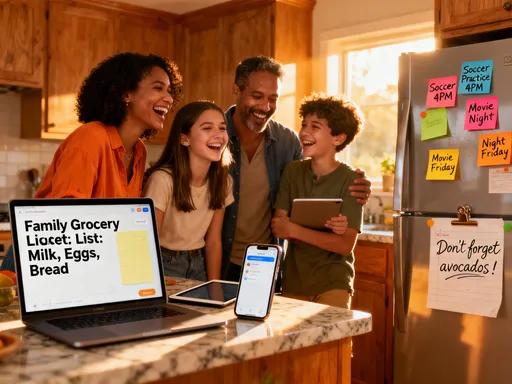
Our family channel didn’t become a place for constant chatter. We weren’t flooding it with memes or daily play-by-plays. Instead, we turned it into a quiet dashboard—a central place for what mattered most. Think of it like a family command center, but gentle, not overwhelming.
Every morning, I post a simple update: “Medication reminder—dad’s blood pressure pill with breakfast.” It’s pinned so no one misses it. When the kids have a school event, I share the flyer there instead of forwarding five emails. If I lock the front door at night, I snap a quick photo and drop it in the channel. Not because I think someone will break in, but because it gives my mom—three time zones away—a little peace of mind. She doesn’t need to call and check. She can just glance and know: The house is secure. Everyone’s safe.
When my sister had surgery last year, we created a temporary “Care Team” channel just for updates. Instead of calling ten relatives with the same news, my brother-in-law posted once: “Surgery complete, recovery room now. Will update in 2 hours.” That single message replaced dozens of phone calls and texts. Relatives could react with a heart or a prayer emoji—no pressure to respond, just a way to show they cared.
What made this work wasn’t the technology itself. It was the trust we built around it. We agreed: this space is for clarity, not clutter. For care, not control. We weren’t surveilling each other—we were supporting each other. And over time, that channel became more than a tool. It became a ritual. A quiet, digital heartbeat that reminded us we weren’t alone.
Voice Notes, Location Sharing, and the Power of “Hands-Free” Care
Let’s be honest—typing while parenting is a joke. One hand on the stroller, the other trying to unlock your phone while a toddler demands snacks? Forget it. That’s why voice notes became our secret weapon.
Last summer, we went hiking as a family—just me and the kids on a wooded trail. My husband was working, but I wanted him to know we were okay. So instead of stopping to type, I held down the voice message button and said, “We’re on Trail 3, halfway to the waterfall. The boys found a frog! Everything’s great.” I sent it in two seconds. No typing. No screen glare. Just my voice, warm and real, reaching him across town.
And when we reached the parking lot? I turned on location sharing for 15 minutes. Just long enough for him to see we’d made it safely. It wasn’t constant tracking—just a quick, intentional check-in. Like waving through a window.
These features—voice messages, temporary location sharing—were designed for remote teams to stay in sync. But they work even better for families. Because in moments of stress or urgency, the last thing you need is to fumble with passwords or type out full sentences. You need speed. You need simplicity. You need to keep your hands where they belong—on the wheel, on your child, on the stroller handle.
And here’s the truth: when care is easy, we do it more often. When checking in takes three seconds instead of ten, we actually do it. That’s how small tech habits create big emotional safety. It’s not about being watched. It’s about being seen.
Teaching Teens to Stay Safe—Without the Nagging
Parenting a teenager is its own kind of tech challenge. My daughter, 16, used to roll her eyes every time I asked, “Did you get home okay?” She’d say, “Mom, I’m fine. Stop worrying.” But I couldn’t help it. Every silence felt like a threat.
Then I had an idea. What if she didn’t have to answer a call or text? What if it was just a tap? So I added a simple button to our family channel: “I’m home.” One tap, and a notification popped up: “Emma is home.” No words. No pressure. Just peace of mind.
At first, she forgot. But after a week, it became automatic—like clocking in at her weekend job. She didn’t feel nagged. She didn’t feel controlled. She felt trusted. And I didn’t feel anxious. I felt reassured.
We also added a “Leaving now” button. When she headed to a friend’s house, she’d tap it, and I’d see: “Emma is leaving.” If her plans changed, she’d update her status: “At Mia’s, staying late.” No back-and-forth. No “Where are you?” texts. Just clarity.
The beauty of this system? It met her where she was. Teens don’t want to be micromanaged. But they do respond to systems that feel familiar—like the apps they use every day. By using a tool that looked like work tech, we removed the emotional charge. It wasn’t Mom checking up. It was just… routine. And that made all the difference.
When Emergencies Happen, Clarity Saves Time
No one plans for emergencies. But the ones who handle them best? They have systems in place. I learned this the hard way during a small kitchen fire last winter.
It started with a pan left too long on the stove. Smoke filled the kitchen. The alarm went off. My first instinct? Panic. My second? Open our family channel and start typing—then I stopped. Instead, I pulled up a shared checklist we’d created weeks earlier: “Home Emergency Protocol.”
It listed three steps: “1. Call 911. 2. Evacuate kids. 3. Shut off gas.” Each task had an @mention assigned. I tapped “Call 911” and assigned it to myself. My husband, who was home, saw it instantly and grabbed the kids. I called emergency services while he turned off the stove and opened windows. Within minutes, the fire department was on their way. The whole thing took less than five minutes.
Afterward, I realized how powerful structure is in chaos. In the workplace, we use incident response plans for outages or security breaches. Why not at home? So we expanded our checklist: “Power outage? Here’s where the flashlights are.” “Severe weather? Move to basement, charge phones.” “Medical emergency? First aid kit is under sink.”
These aren’t scare tactics. They’re practical tools. And because they live in the same app we use every day, they’re easy to access—no digging through drawers or remembering passwords. When seconds count, clarity saves lives. And that checklist? It’s now part of our monthly family check-in. We review it like a team. Because being prepared isn’t about fear. It’s about love.
Building a Culture of Care, One Notification at a Time
Here’s what I’ve learned: technology doesn’t have to pull us apart. When used with intention, it can pull us closer. These tools—Slack, Teams, shared workspaces—weren’t built for families. But they carry a quiet wisdom: that clarity reduces fear, that presence matters more than perfection, and that care doesn’t have to be loud to be deep.
We didn’t replace our conversations. We enhanced them. We didn’t trade hugs for notifications. We used notifications to protect the moments that matter—the bedtime stories, the family dinners, the quiet mornings with coffee. Because when you’re not worrying about whether someone made it home, you can actually enjoy being together.
And it’s not just about safety. It’s about dignity. My dad, who lives alone, uses voice notes to send us updates. He doesn’t always feel up to a call, but he’ll say, “Just wanted you to know I’m doing fine.” That message? It’s everything.
So if you’re sitting there thinking, “This sounds too corporate for my home,” I get it. I thought the same. But give it a try. Start small. Create one channel. Set one status. Send one voice note. You don’t need to turn your family into a startup. You just need to borrow a little efficiency to make space for more love.
Because at the end of the day, the best tech isn’t the flashiest. It’s the one that helps you breathe easier, sleep sounder, and show up more fully—for your family, for yourself, for the life you’re building together. And if a simple status update or a shared checklist can do that? Then maybe, just maybe, the tools we already use are the ones we’ve been waiting for.