Why Are You Still Losing Precious Memories When Your Phone Can Save Them Automatically?
How many times have you lost photos, messages, or important notes when your phone crashed? I once almost lost my child’s first-year videos—until I discovered how simple mobile backup could be. It’s not just about storage; it’s about peace of mind. That moment changed everything for me. The panic of swiping a black screen, the heart sinking as I realized years of memories might be gone—it’s a fear so many of us carry but rarely talk about. Let me show you how one small tech habit transformed my digital life, protected my family’s memories, and gave me back time and calm every day. This isn’t just tech advice. It’s about protecting what matters most.
The Moment Everything Changed: When I Almost Lost What Mattered Most
I remember exactly where I was when it happened—sitting on the couch, scrolling through my phone, trying to find that sweet video of my daughter laughing in the bathtub on her first birthday. I tapped the photo app, and suddenly, it froze. Then rebooted. Then showed me a blank screen. I tried restarting, clearing cache, even that weird trick of holding three buttons at once. Nothing worked. Over the next few hours, I spiraled. Was it the update? Did I drop it last week and not notice? Most importantly—were those videos really gone?
The truth hit me like a wave: I hadn’t backed up in months. I thought I was being careful by keeping everything on my phone, but in reality, I was playing digital Russian roulette. That night, I called a friend who knows tech better than anyone I know. She asked, ‘Did you check your cloud?’ I didn’t even know what that meant. She walked me through recovering what little was saved—and thank goodness, some of the videos were there. But not all. And that loss still aches. It wasn’t just data. It was time. It was emotion. It was a piece of my child’s history I can never get back.
That experience changed how I see my phone. It’s not just a tool for calls and shopping lists. It’s a digital scrapbook, a diary, a record of my family’s life. And like any treasure, it needs protection. I realized then that losing memories isn’t inevitable. It’s preventable. And the solution wasn’t complicated, expensive, or time-consuming. It was something I could set up in minutes—and forget about. That’s when I began learning about mobile backup, not as a tech task, but as an act of love.
What Is Mobile Backup, Really? (And Why It’s Not Just for Techies)
Let’s clear something up: mobile backup isn’t just for people who wear hoodies and talk about ‘servers’ and ‘bandwidth.’ It’s for moms, grandmas, busy professionals, teens, and anyone who uses a phone to capture life. At its core, mobile backup means automatically saving your phone’s data—photos, messages, contacts, notes, app settings—to a secure online space called the cloud. Think of it like this: your phone is your wallet. It holds your ID, your credit cards, your cash. Now imagine leaving it on a park bench. Scary, right? Backup is like having a copy of everything at home, safe in a drawer. You don’t need to think about it until you need it—and when you do, it’s there.
One of the biggest myths I believed was that backup is complicated. I thought I’d need to buy special equipment, learn tech jargon, or spend hours setting it up. But the truth? Most phones come with built-in backup tools. Apple has iCloud. Android has Google One. And they’re designed to work quietly in the background. You don’t have to do anything once it’s set up. It’s like setting a timer on your oven—you turn it on, walk away, and when it’s done, dinner’s ready. No stress. No effort.
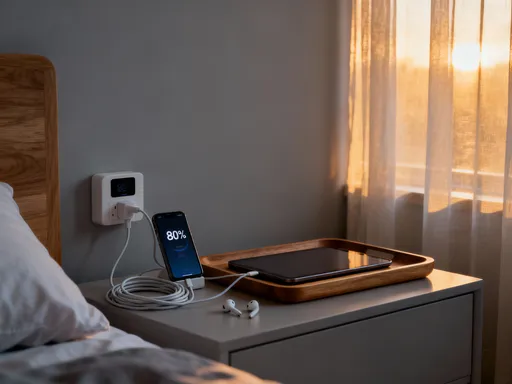
Another myth: backup slows down your phone. I used to worry that saving everything online would make my phone lag or eat up data. But modern backup systems are smart. They only run when your phone is charging, connected to Wi-Fi, and idle—like when you’re sleeping. And they don’t back up everything at once. They sync changes in small pieces, so you won’t even notice. It’s not about tech skills. It’s about trust. Trusting that a little setup today can prevent heartbreak tomorrow.
The Hidden Cost of Not Backing Up: More Than Just Lost Photos
We all know losing photos hurts. But the real cost of not backing up goes deeper. I have a friend, Maria, who lost her entire wedding video because her phone got water damaged at the beach. The footage was never backed up. She didn’t just lose a video—she lost the way her father danced with her, the way her mom wiped tears during the vows. Those moments exist only in memory now. Another mom I know, Sarah, had her teenager’s final science project wiped out by a software glitch. Weeks of work—gone. No backup. The stress that followed—rushing to redo it, the arguments, the tears—wasn’t just about a school grade. It was about feeling helpless.
And it’s not just big events. Think about the little things: a voice note from your child saying ‘I love you’ for the first time. A text from your sister after your mom’s surgery. A recipe your grandmother dictated over the phone. These aren’t just files. They’re emotional threads that connect us. When they disappear, we feel untethered. We forget how we felt in that moment. We lose pieces of our story.
There’s also the daily frustration. How many times have you upgraded to a new phone and spent hours trying to remember passwords, redownload apps, or reorganize your home screen? Without backup, every device change becomes a chore. But with it, switching phones feels like magic. You turn on the new one, sign in, and within minutes, everything is just… there. Your photos, your messages, your favorite apps—all in place. It’s not just convenience. It’s freedom. And it’s available to everyone, not just tech experts.
How I Built My Simple, Set-and-Forget Backup System
After my scare, I decided to fix this once and for all. I didn’t want to live in fear every time my phone acted up. So I sat down one quiet evening and set up automatic backup. It took less than 20 minutes. Here’s how I did it—step by step—so you can do it too, even if you’ve never touched a cloud setting in your life.
If you have an iPhone, go to Settings, tap your name at the top, then iCloud. You’ll see a list of apps—Photos, Messages, Notes, Contacts, and more. Turn on the ones you want to back up. Then tap iCloud Backup and switch it on. That’s it. Now, whenever your phone is charging, locked, and connected to Wi-Fi, it backs up automatically. You can check how much storage you have and upgrade if needed—but most people find the free 5GB is enough for basic use.
If you’re on Android, open Settings, go to Google, then Backup. Make sure ‘Back up to Google Drive’ is turned on. You can choose what to include—like photos, app data, call history. I recommend turning on ‘Backup by Wi-Fi only’ so it doesn’t use your data plan. And set it to back up daily. Once it’s on, you’re done. No more thinking. No more stress.
I also made one small habit: once a month, I check that my backup completed. I just go to the same settings and look for the last backup time. If it says ‘Last backup: yesterday,’ I’m good. If not, I plug in, connect to Wi-Fi, and let it run. This tiny check-in gives me confidence. It’s like checking the smoke detector batteries—quick, easy, and life-protecting.
Making It Work for Your Family: Protecting More Than Just Your Phone
Once I had my system running, I realized I could help others. My mom, who’s in her 70s, still uses her first smartphone. She takes beautiful pictures of the garden but was terrified of losing them. I visited her one weekend and set up iCloud on her phone the same way I did mine. I showed her where to look to see if it was working. Now, every time she sees that ‘Last backup: today’ message, she smiles. She says it makes her feel ‘safe.’
I also set up backup for my teenage niece. She’s glued to her phone—texts, photos, music—but never thought about what would happen if it broke. I sat with her and explained it like this: ‘Imagine losing every photo from your last birthday party. All those laughs, gone. But if it’s backed up, you can get it back in minutes.’ She got it immediately. We turned on Google One backup together, and now she checks it like a habit.
For families, many cloud services offer family plans. iCloud+ and Google One both let you share storage with up to five family members. You can manage it from one account, help others set up, and even get alerts if someone hasn’t backed up in a while. It’s not about control. It’s about care. I now think of backup as a family ritual—like teaching kids to lock the door or look both ways before crossing the street. It’s a small lesson in responsibility that brings long-term safety.
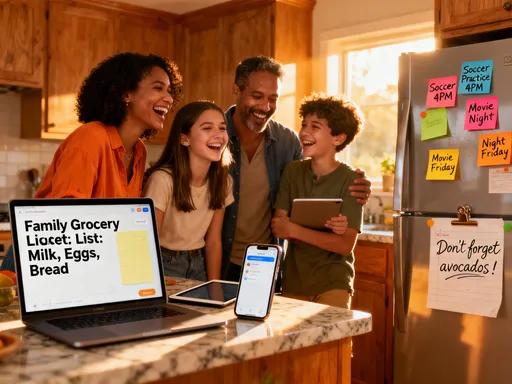
And it’s not just about photos. Shared calendars, shopping lists, voice memos—these are the threads that hold family life together. When they’re backed up, everyone stays connected, even when devices fail. It’s one of the simplest ways to protect your family’s digital legacy.
Beyond Photos: How Backup Gave Me Time, Clarity, and Confidence
I expected backup to save my photos. I didn’t expect it to change how I feel every day. But it has. Knowing my data is safe has reduced my background anxiety. I don’t panic when my phone freezes. I don’t stress before software updates. I don’t dread getting a new phone. That mental relief is priceless.
There’s also a surprising side effect: my phone runs better. Because old files and cached data get cleaned up during backup, my device feels faster. Apps open quicker. Photos load smoothly. It’s like digital decluttering. And when I do get a new phone, the setup takes minutes, not hours. I sign in, wait for the restore, and boom—everything is back. My home screen, my messages, even my typing predictions. It’s like the new phone already knows me.
And then there’s the joy of rediscovery. Last month, my cloud backup reminded me of a video I’d forgotten—my daughter’s first steps, taken in the living room. It popped up in a ‘Memory’ album. I hadn’t seen it in years. I cried. But in a good way. Backup isn’t just about preventing loss. It’s about preserving joy. It’s about giving yourself the gift of time—time to live, not worry. In a world that moves fast, that’s a rare kind of peace.
Start Small, Live Better: Your First Step Toward Digital Peace
You don’t need to do everything at once. You don’t need to be perfect. Just start. Tonight, after the kids are asleep or during your morning coffee, open your phone settings. Look for iCloud or Google Backup. Turn it on. Choose what matters to you—photos, messages, contacts. Let it run. That’s it. One small action. One big step toward safety.
Think of it as self-care. Not the bubble bath kind—though that’s nice too. This is deeper. It’s caring for your memories, your time, your peace of mind. It’s saying, ‘My life matters. My family’s story matters. And I’m going to protect it.’
I used to think tech was cold, impersonal, complicated. Now I see it differently. When used with intention, technology can be kind. It can hold our memories, ease our burdens, and connect us across time. Backup isn’t just a feature. It’s a promise—to ourselves, to our loved ones, to the future. A promise that no matter what happens, some things will be safe. That the moments we cherish will never truly be lost. So go ahead. Take that first step. Your future self—and your family—will thank you.